


SMS Backup, Print & Restore
4.43.68K Reviews
App Specs
- Version
- Varies with Device
- Updated On
- License
- Free
- Downloads
- 500,000+
- Developer
- GilApps
- Categories
- Tools
- Platform
- Android
Screenshots


 Analysis by AppCompare
I first reached for SMS Backup, Print & Restore because losing a conversation can matter more than losing a photo: messages may hold addresses, appointment details, family history, or information I need to refer to later. This Android tool from GilApps is built around keeping SMS records available beyond the phone’s ordinary inbox. I see its strongest appeal in that practical job, especially for someone preparing to change devices or wanting a copy they can search, share, or print.
Where setup can feel less simple than it sounds
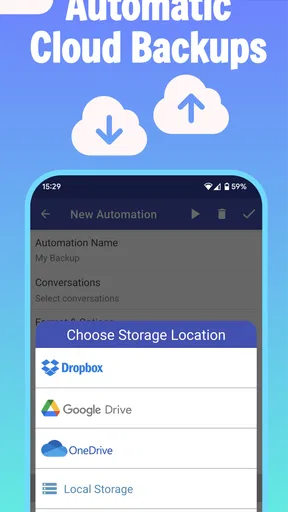
The main idea is easy to understand, but a backup is only useful if it includes the messages you care about and ends up somewhere you can find again. I would start by checking which conversations are selected and where the resulting backup is being saved. That small pause matters: a file sitting only on the phone may not help if the phone itself is lost or replaced. If you choose a cloud destination, make sure you can access that account before relying on it.
It also helps to distinguish a saved copy from a completed move to a new phone. Creating a backup preserves a point-in-time record; it does not automatically prove that the messages have appeared on another device. I’d treat the first backup as a test run: choose a conversation that is not sensitive, complete the process, and confirm that you can locate and open the output before trusting the workflow with your full history.
Small checks that prevent bigger headaches
Before starting, I’d make sure the phone has enough free space for the backup and any exported files, particularly if a conversation contains many attachments. I’d also avoid interrupting the process by closing the app or switching into a battery-saving mode midway through. If a backup appears to stall, checking available storage and trying again while the device is stable are sensible first steps; repeatedly tapping controls while a task is running can make it harder to tell what has actually finished.
For cloud storage, the useful check is not just whether an account is signed in, but whether the saved file is visible there afterward. A local copy and a cloud copy solve different problems: local storage is convenient for immediate access, while a separate location is more helpful if the handset is damaged. I would not assume that one automatically substitutes for the other. Keep a copy in a place you can reach from a replacement device, and verify it before deleting or trading in the old phone.
Keeping messages useful beyond the inbox
The app is free to install and has an Everyone age rating. It has a 4.5 average from around 14,000 ratings, with more than 500,000 installs. Those figures suggest it has found a substantial audience, but I’d still judge it by whether its export and restore options fit the way I personally manage messages. Optional in-app purchases are listed at $13.99 to $19.99 per item, so I’d check what a paid option covers before deciding whether I need it.
Easy Setup and User-Friendly Interface
First things first, getting started with SMS Backup, Print & Restore is as smooth as butter. The app welcomes you with a clean interface that doesn't overwhelm. You know how some apps have you tapping a million icons just to get started? Not here. It's intuitive enough that even your tech-challenged friend could navigate it with ease.
Worth Reading Before You Choose

EA SPORTS FC Mobile 26 Is a Bigger Football Game, but It Takes Time

Flipboard Shows What News Apps Must Do Beyond the Feed

Switching to Android Auto Means Rethinking Your Driving Routine

Google Calendar Makes a Crowded Week Easier to Manage

Ludo King Makes the Most of the Minutes Between Plans

Baby Panda World Brings Quick Play to Modern Phones, but Its Game Library Feels Busy
Seamless Backup Options
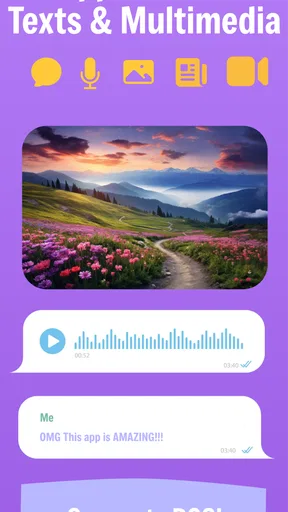
Backing up your messages is as simple as hitting a few buttons. The app lets you choose between local storage and cloud services like Google Drive, which is a lifesaver if you're switching phones or just want peace of mind. Plus, it supports both SMS and MMS, so those photo messages you treasure aren’t left behind.
Printing Your Messages
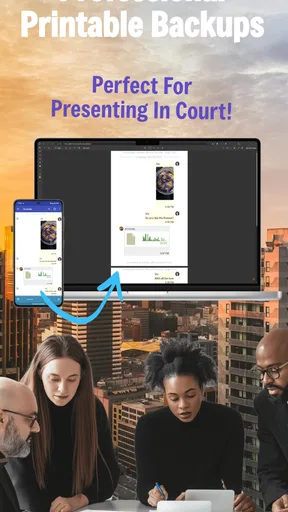
Now, this is where things get interesting. Ever thought about printing your text conversations? Whether it's for legal purposes or you just want a physical copy of a special exchange, this app has you covered. You can easily select the conversations you need and print them directly from your device. It’s like having your own little print shop in your pocket.
For a more careful paper workflow, I’d select only the conversation that matters rather than printing a whole inbox. A printed record is easier to browse when it has a clear purpose, such as keeping a sequence of arrangements or preserving a meaningful exchange. If you need a formal record for a dispute or official process, though, I would not treat a printout as automatically sufficient evidence; check what the recipient actually requires, and keep the original messages and export file as well.
Restoration Made Easy
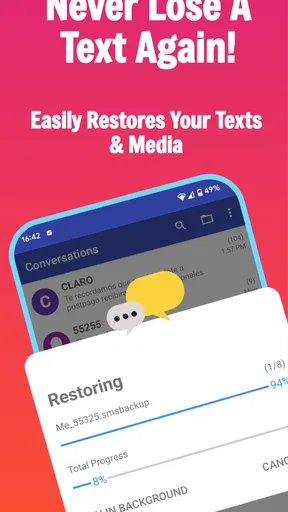
Restoring your messages is equally straightforward. No more headaches trying to figure out where everything went. With just a couple of taps, your messages are back where they belong. It’s a relief knowing that if something goes wrong, you can return to normalcy without breaking a sweat.
My practical advice is to restore only after confirming that the backup is the one you intend to use. A restore is a recovery step, not a substitute for checking the file first. If you’re moving to a new handset, keep the old phone available until you’ve confirmed that the messages you need are present on the new one. That gives you a fallback if the selected backup is incomplete or you chose the wrong copy.
Customization Features
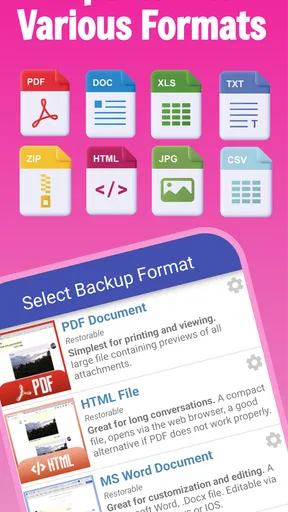
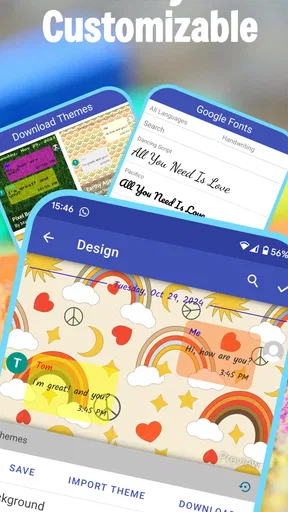
Customization is another ace up this app’s sleeve. You can choose how your backups are organized, which conversations are included, and even the file format. This gives you control over how your data is managed, which is pretty refreshing if you ask me.
That control is useful for separating purposes. I might keep a broad backup for recovery, then make a smaller export of a single thread when I need a document to read or print. A compact, purpose-specific file is easier to handle and less likely to expose unrelated conversations when I share it. Before sending any export to someone else, I’d open it and check that it contains only what I meant to include.
Security and Privacy
In today’s world, privacy is key, and SMS Backup, Print & Restore respects that. The app ensures your data is kept secure, and you have full control over what gets shared and stored. Knowing that your information is safe brings a level of comfort that’s hard to beat.
Because message exports can contain personal details, I would handle them like any other private document. Choose conversations deliberately, avoid leaving an exported file in a shared folder, and remove extra copies when you no longer need them. A cloud copy may be convenient, but convenience also means thinking about which account can access it. The safest workflow is the one that gives you a usable backup without creating unnecessary copies of sensitive chats.
Performance and Reliability
I’ve tested a fair share of backup apps, and this one stands out for its reliability. It doesn't crash mid-backup, and it handles large amounts of data like a champ. You won’t be left hanging with half-completed backups, which is a huge plus in my book.
When the app may not be the problem
If a message is missing after a restore, I would first check the source backup, the conversations included, and whether the restore process completed, rather than assuming the app caused the loss. A backup cannot bring back content that was never captured in that copy. Similarly, if an export will not open or print as expected, check that the file is accessible and try opening it with an appropriate viewer or printing route before repeating the entire backup.
There are also cases where a different approach is a better fit. If you only need to keep a few important details, copying them into a note may be simpler than maintaining a full message archive. If your priority is device-wide migration rather than preserving SMS as a separate record, your phone’s built-in transfer tools may be more convenient. I’d choose this app when I specifically want control over message backups, selected conversations, or export formats—not as a general solution for every kind of phone data.
A realistic routine for changing phones
Imagine I’m replacing my phone before a busy week and need to keep a thread with delivery details and family plans. I would make a backup while the old device is still working, choose a destination I can reach later, and confirm the file is there. Then I’d move to the new phone and restore from that known copy, checking the important conversation before wiping or handing over the old device. If I also want a paper record of one exchange, I’d export or print that thread separately rather than making the recovery backup do every job.
This two-purpose routine is more dependable than treating one button press as proof that everything is safe. The recovery copy is for getting messages back; a focused export is for reading, sharing, or printing. Keeping those tasks distinct makes it easier to notice whether a backup is missing a conversation and reduces the chance of distributing more private information than intended.
Who will get the most from it
I’d recommend it to people who have a reason to preserve SMS history outside the normal inbox: someone changing phones, keeping a record of selected conversations, or wanting a printable copy for personal organization. It is less compelling if you rarely use text messages, already rely on a migration method that meets your needs, or expect a hands-off service that silently protects every kind of phone data. It is also not the right choice if you do not want to manage exported files or think about where private message copies are stored.
Compared with simply leaving messages on a phone, a separate backup gives you a route to recover or work with them outside that device. Compared with a general cloud backup, the appeal here is the focus on SMS and the option to make readable or printable exports. The trade-off is that you must pay attention to selection, destination, and verification; a dedicated message tool still depends on a sensible routine from the person using it.
My practical verdict
In conclusion, SMS Backup, Print & Restore is a powerhouse for managing your SMS data. With its user-friendly design, robust features, and unwavering reliability, it’s an app that should be on everyone’s radar. Whether you're a text message hoarder or just someone who likes to keep things organized, this app is worth checking out. So go ahead, give it a whirl, and say goodbye to SMS anxiety!
My more measured recommendation is to try it with a small, low-stakes backup first, then confirm that the saved copy is accessible and that you understand the restore path. That quick rehearsal answers the questions that matter most: whether the chosen conversations are included, where the backup ends up, and whether the output works for your intended use. If those checks fit your needs, it can be a handy, focused tool; if you want effortless protection for all phone content, a broader device-transfer or backup option may suit you better.
Pros
- Easy-to-use interface.
- Supports multiple backup formats.
- Secure encryption options.
- Fast backup and restore process.
- Customizable schedule settings.
Cons
- Limited cloud storage integration.
- Ads in the free version.
- No direct print to some printers.
- Occasional sync issues.
- Requires manual setup for new users.
FAQs for SMS Backup, Print & Restore
What is SMS Backup, Print & Restore and how does it work?
SMS Backup, Print & Restore is an app designed to help users save, print, and restore their text messages. The app allows you to back up your SMS messages to your local storage or cloud services like Google Drive. You can also print messages directly from your device or restore them when needed.
Is SMS Backup, Print & Restore compatible with both Android and iOS devices?
Currently, SMS Backup, Print & Restore is available for Android devices. iOS users might need to look for alternative solutions, as the app is specifically tailored for Android's file and message management systems. Check the app store for the latest compatibility updates.
How secure is my data with the SMS Backup, Print & Restore app?
The app prioritizes user data security by allowing backups to be stored locally or on secure cloud services. However, as with any app handling personal data, it's important to regularly update the app and use strong passwords for your cloud accounts to ensure maximum security.
Can I choose specific messages or conversations to back up and print?
Yes, SMS Backup, Print & Restore provides flexibility by allowing you to select specific messages or entire threads to back up or print. This feature is particularly useful if you want to keep records of important conversations without cluttering your storage with unnecessary data.
Are there any costs or in-app purchases associated with SMS Backup, Print & Restore?
The app may offer basic functionality for free, but advanced features such as premium backup options or ad-free experience might require in-app purchases. Always check the app store listing for detailed pricing information and reviews to ensure it meets your needs.


